Bid & estimating software for specialty contractors
Takeoffs and scope letters while the plan room is still open.
Cintra turns plans, specs, and addenda into organized takeoffs, estimates, and scope letters with exclusions drafted, so you bid more jobs without burning nights.
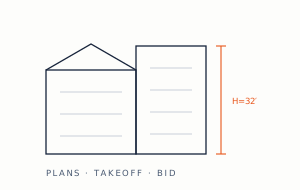
Takeoff capacity decides which jobs you bid.
Trade estimating is buried in documents: hundreds of plan sheets, spec divisions, and addenda that change the answer late. Missing one note can eat the margin on the whole job.
Most subs bid a fraction of the invitations they receive, not because the jobs are bad but because takeoff capacity is finite. The bids that do go out are rushed exactly when accuracy matters most.
How the desk runs an invitation to bid.
1.0
Intake
Upload the invitation package: plans, specifications, addenda.
2.0
Scope
Your trade's work identified across sheets and spec sections, with addenda applied.
3.0
Takeoff
Quantities measured and organized by system, floor, or area.
4.0
Estimate
Unit costs and production rates from your history applied. Alternates handled.
5.0
Bid
A bid with scope letter, inclusions, exclusions, and clarifications drafted for review.
Reads your documents. Produces your deliverables.
Reads
- Plans, specs & addenda
- Bid invitations & forms
- Unit costs & production rates
- Past bids & job actuals
Produces
- Takeoffs & estimates
- Scope letters with exclusions
- Completed bid forms
- Alternate & unit pricing
✓ Exclusions drafted, not forgotten✓ Addenda tracked against the base bid✓ Bid forms completed in the GC's format
Send us a bid request.
Free, and it takes one email. You see Cintra working on your documents, your pricing, and your formats, not a canned demo. Two good ways to start:
- Send the one on your desk right now. We'll return a priced, submission-ready draft while your deadline is still ahead of you.
- Or send one you already finished, along with its source files. We'll rebuild it so you can compare our output to what you actually sent, line by line.